
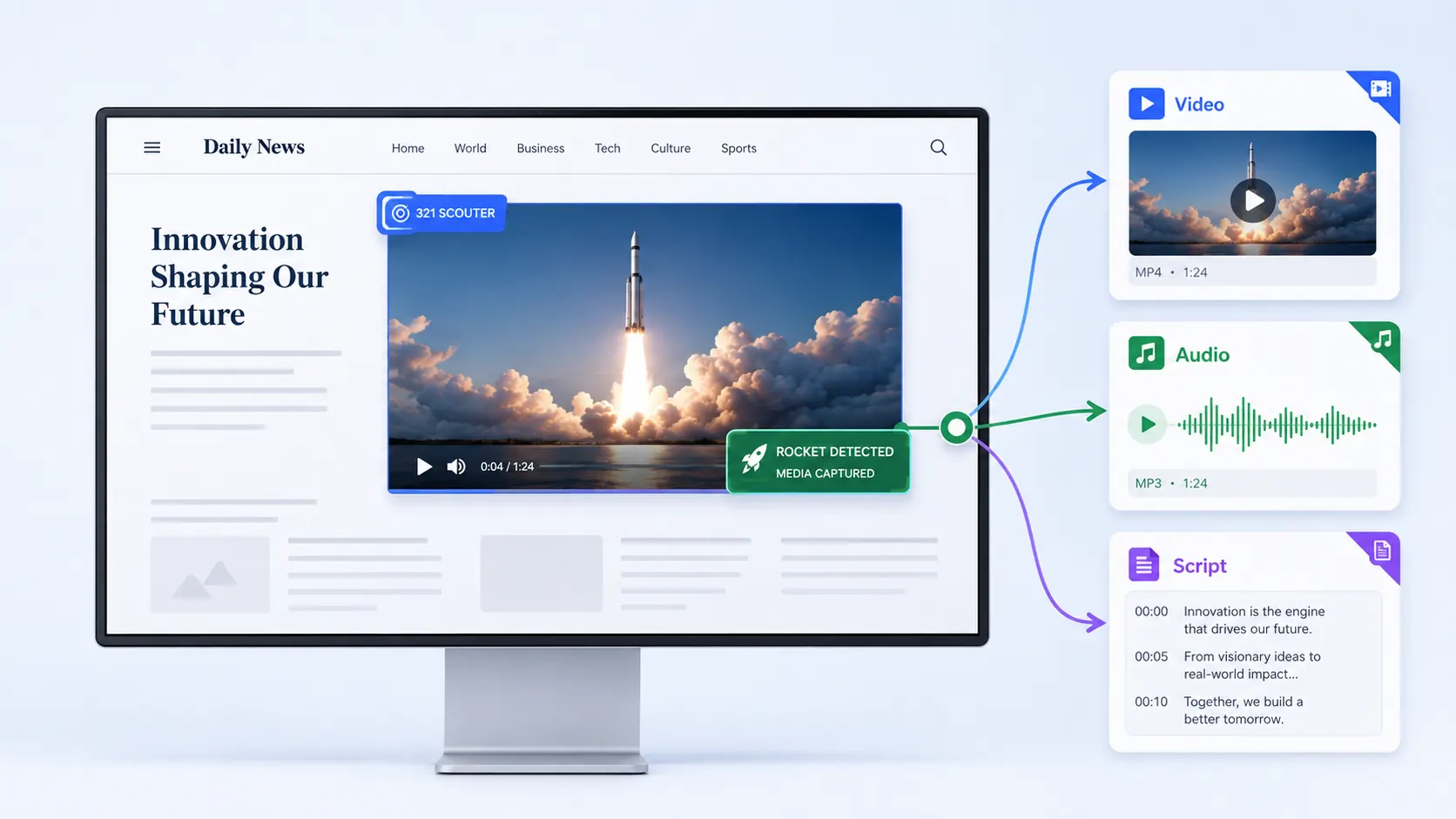
WHY 321 DOWNLOADER

From collecting video to scripts, in one placeSimpler. More productive. More efficient.

Save the videos you need, then use audio and scripts right away in one browser extension. Fast-Track, Scouter, and STT make this possible.

321 Downloader

HOW 321 WORKS

Four features that make 321 Downloader stronger

Find media more accurately, save more reliably, and use what you saved in more ways. Fast-Track, Scouter, Stream, and STT complete the 321 Downloader experience.

Fast-Track

Collect and save detected videos quickly.

Automatically collect video signals detected on a webpage and show download options in multiple qualities.

Those options help you save the quality you want more reliably, even when the network is not ideal.

  • Auto detect
  • Quality choice
  • Reliable saving

Scouter

Focus on the video you actually want.

If Fast-Track scans a page broadly, Scouter lets you aim at the video area you care about.

Useful when several videos are detected at once and you need only one of them.

  • Direct select
  • Focused search
  • Less extra detection

Stream

Record videos that cannot be detected.

Use Stream when a typical source is hard to obtain.

It records playback in real time, so you wait as long as the video plays. It is a fallback for cases other methods cannot save.

  • Live recording
  • Hard-to-detect cases
  • Last resort

STT

Turn the video into a script right away.

When you need a transcript, generate it in 321 Downloader without installing another program.

Turn what you watch and hear into text you can read and organize immediately.

  • Speech to text
  • No extra app
  • Use right away

Who is it for?

  • Short-form creators

    Collect reference clips and come back to them later.

  • Content marketers

    Keep campaign and reference videos in one place.

  • Reference collectors

    Save the files you will actually reuse, not another watch-later list.

  • People who need a quick recap

    Read a script to review and organize video content faster.

FAQ

Before you choose 321 Downloader

See what makes it different, where it works, what quality you can get, whether it handles multiple files, whether it can create scripts, and which plan to start with.

How is 321 Downloader different from other downloaders?

321 Downloader is a light, easy browser extension that can handle several jobs at once.

  • Simple — start in the browser, with no extra program to install
  • Easy to use — quickly detect and save the video you are watching
  • Multi-tasking — download and manage several videos and audio files at the same time
  • Extensible — connect saved content to STT and create a script
  • Local use — save files to your PC and reuse them
  • Productive — reuse collected content for learning, editing, and creation

The biggest difference is one connected flow: install, collect, download, and script.

Which websites can I save videos from?

Official support covers YouTube, Instagram, Facebook, TikTok, Douyin, and Xiaohongshu (RedNote). Other sites may work when media is detected, but not every website is guaranteed. DRM-protected video cannot be saved.

Can I download high-quality video?

Yes. When a detected quality list includes high-quality options such as 1080p, you can choose the quality you want and save it. Available quality can still vary by the original video, how the site delivers it, and what is detected. Even when playback looks low-quality, a higher-quality download option is sometimes detected — that is one of the advantages you can try for yourself.

Can I process several videos or qualities at once?

Yes. You can select several items from the detected download-chip list and download them at the same time. Your plan may limit how many downloads can run together. Actual speed depends on file size, site response, network conditions, and your PC.

Can I extract a transcript or script from a video?

Yes. Pro can create a script with STT. You can start Create Script from a finished download, and use the result as TXT or SRT. STT is not included on Free or Plus.

Which plan should I start with?

If you are just starting, begin free and check that detection and download work for you. Choose Plus if you download often or want less waiting, and Pro if you also need scripts. See Pricing for counts and prices.

Found a video you want? Save it with 321 Downloader,then use it again as video, audio, or a script

Install 321 Downloader in Chrome, Edge, or Firefox, and save the videos you want as video, audio, or a script.